Browser research, connected to GRN Desk
Turn a useful page into evidence you can use.
Find the source hiding in your open tabs. Verify what it is. Save the record or capture the exact passage that matters, with its provenance intact.
One deliberate research move
From browser tab to your GRN evidence base.
- 01FindThe right tab, in the right window
- 02CheckThe scholarly identity and match
- 03ChooseYour GRN Library or project
- 04CaptureSelect text, right-click, then review
- 05ContinueIn the authoritative GRN record
Start with the browser you already have
The source is open. Waypoint gets you back to it.
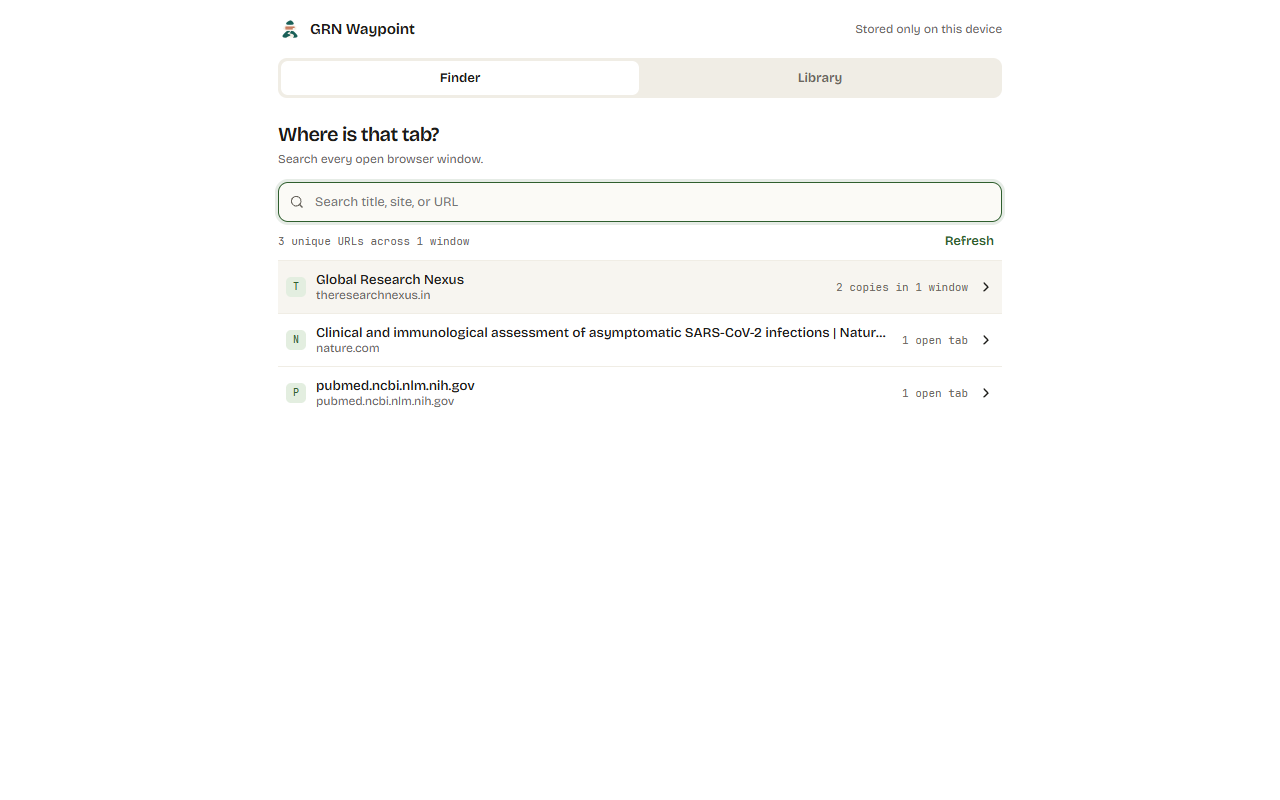
Search titles, sites and URLs across one window or all of them. Duplicate URLs stay grouped, while every real destination remains visible and focusable.
Check + Save
Know exactly what enters your research library.
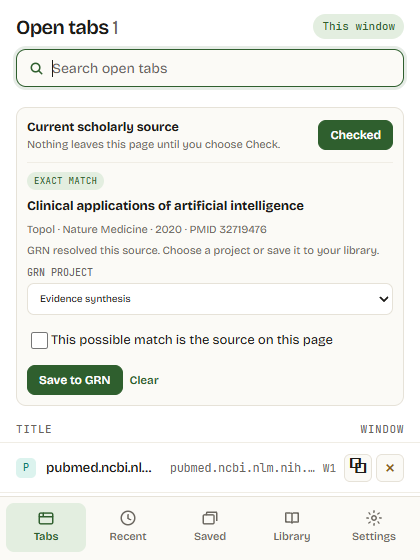
Waypoint resolves the current scholarly page before it becomes a GRN source. You see the title, identifier and match state, then decide whether it belongs in your Library or a specific project.
- 01Check source
Resolve the page against the scholarly record.
- 02Review the match
Exact and possible matches stay visibly distinct.
- 03Save to GRN
Choose Library only or an owned project.
Capture passage
Keep the insight. Keep the provenance.
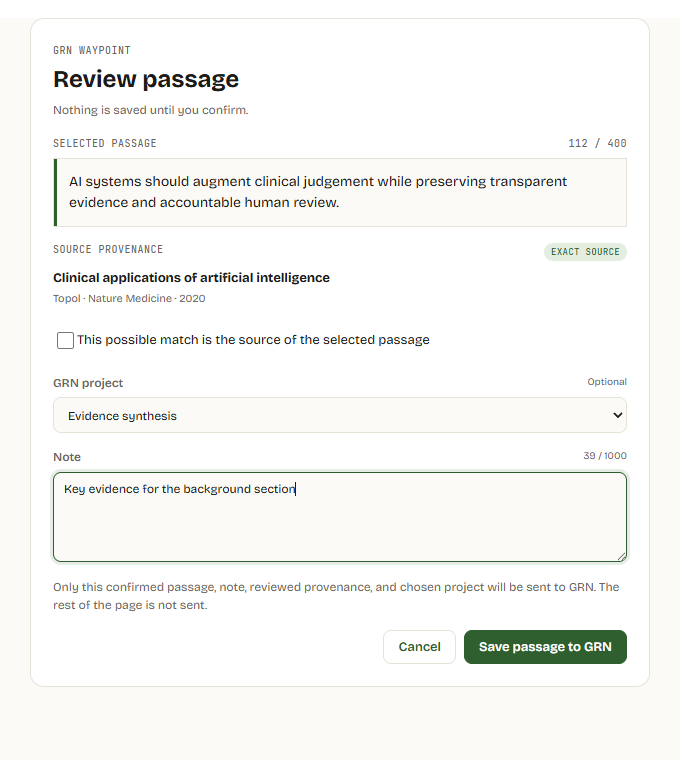
Highlight the sentence that changes your thinking. Right-click the selection and choose Capture passage with GRN Waypoint. Waypoint then opens a deliberate review step with the passage, source, GRN destination and optional private note together.
 Capture passage with GRN Waypoint
- Selected textOnly the passage you chose
- Source contextTitle, author, journal and identifier
- Your decisionProject, note, confirm or cancel
Nothing leaves the page until you confirm.
What reaches GRN
A clean handoff, not a browser-history dump.
Useful before you connect
Find locally. Send deliberately.
Finder, recently closed recovery, local Trail and local export work without a GRN account. Connecting an existing GRN account adds source verification, project selection, passage capture and a direct route into GRN Desk.
- No silent syncBrowsing activity is never automatically sent to GRN.
- No hidden captureSelected text is reviewed before any save request.
- No chargeGRN Waypoint is free to install and use.
GRN Waypoint